Draw it. Animate it. Ship it to your engine.
Exaro Drawing is a Windows painting, pixel-art and animation app built for game makers. Paint and pixel sprites, rig cut-out puppets, cut cartoon scenes with dialogue and lip-sync, then export sprite sheets with normal maps, Spine skeletons, Godot scenes and video. Every tool is also a command, so your AI can do the work with you.
- Painting and brushes
- Pixel art and palettes
- Sprite sheets + normal maps
- Tile maps
- Cut-out puppets
- Cutscenes and lip-sync
- Spine · Unity · Godot · Unreal
Windows 10 or 11 · Only in Exaro Studio, with Exaro Model, Unreal and Sound
Two games. Every sprite drawn here.
We built two small games to put Exaro Drawing to work. Every character, prop, texture and sky in them came out of Exaro Drawing; Exaro Unreal then assembled each game in Unreal Engine.
See Exaro Unreal →A night village lit by the sprites themselves.
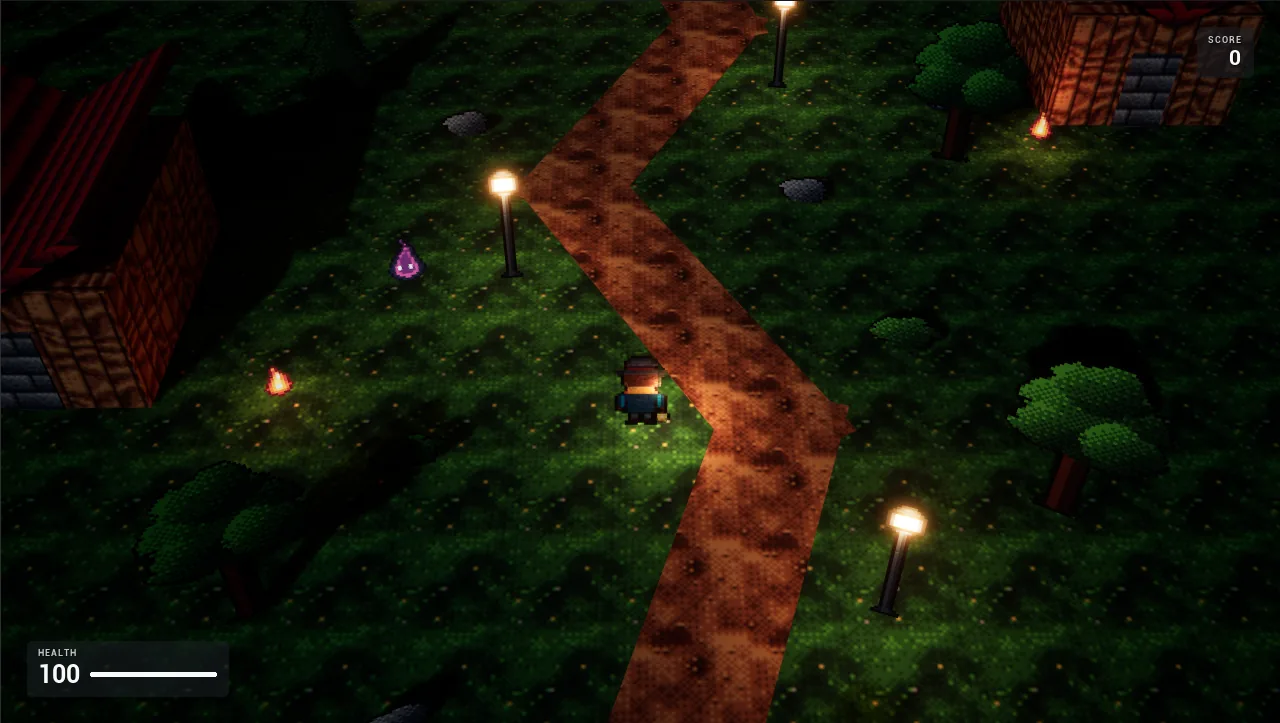
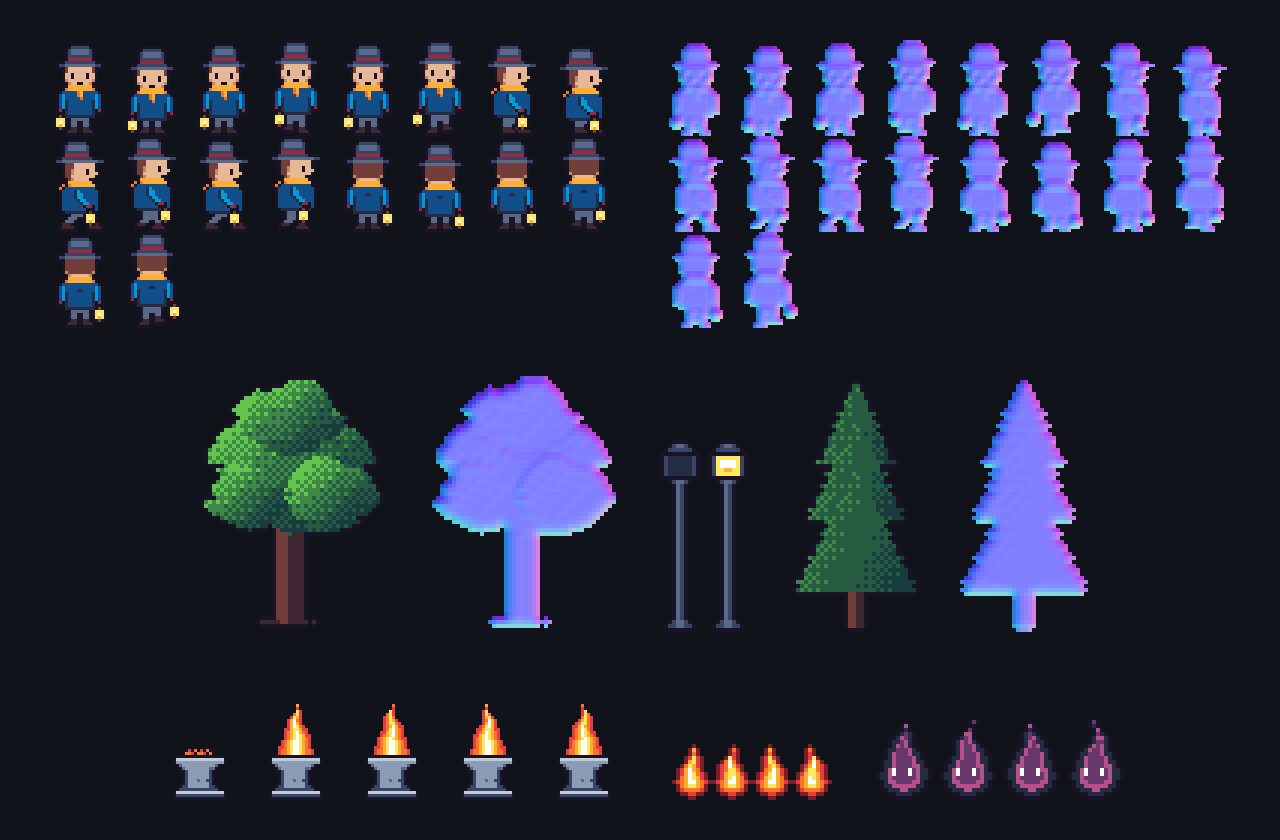
A 2.5D village at night: a three-quarter view of a 3D level with pixel-art characters and props. Every sheet was exported with a matching normal map, so the lamp posts and the hero’s lantern light the sprites the way they light the ground.
- A hero with front, side and back walk cycles
- Flickering flames for the beacon and embers, drawn frame by frame from a script
- Trees, lamp posts, rocks and seamless ground, wall and roof textures
- A night sky painted with gradients and selections, then dithered to a palette
- Every sheet exported with export.sprite_sheet plus its normal map
A retro shooter in a 16-colour EGA palette.
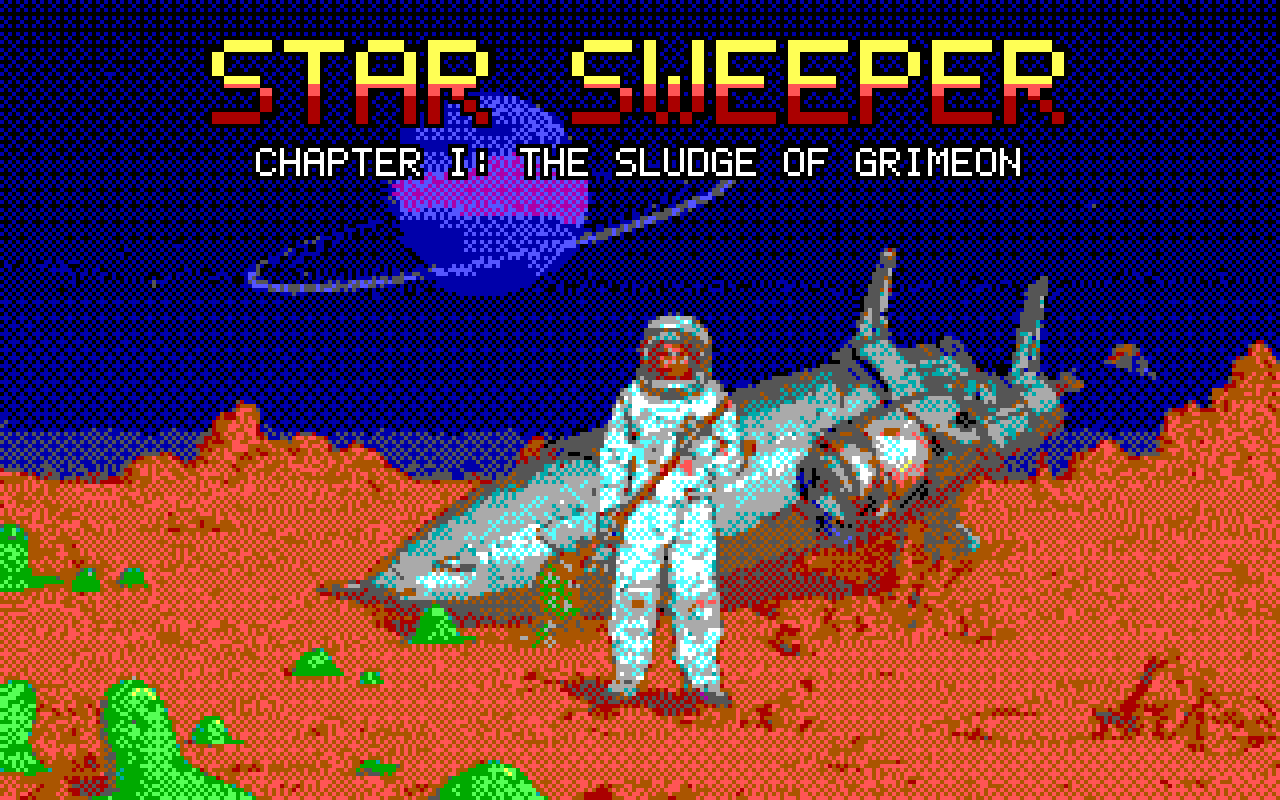
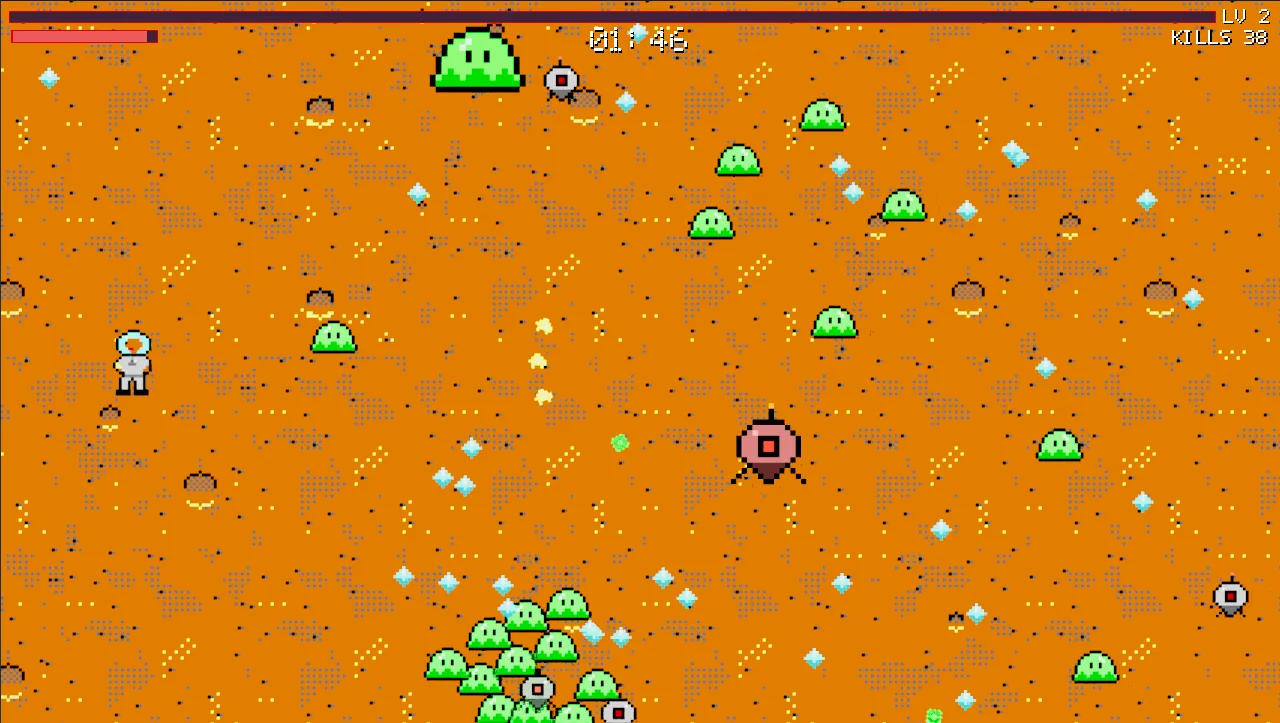
A janitor in a space suit mops slime off a desert planet. The art keeps to the EGA palette from the first pixel: characters written as pixel grids, checked against the palette, tagged and timed as animations and exported as game sheets.
- Hero, enemies, boss, pickups and upgrade icons, each in the EGA palette
- pixel.check lints every sheet for off-palette colours and stray pixels
- The title card: an illustration turned into 320 x 200 EGA pixel art by Pixelize, with Bayer dithering
- A pixel font logo, outlined and written in over the art
One app, three workspaces.
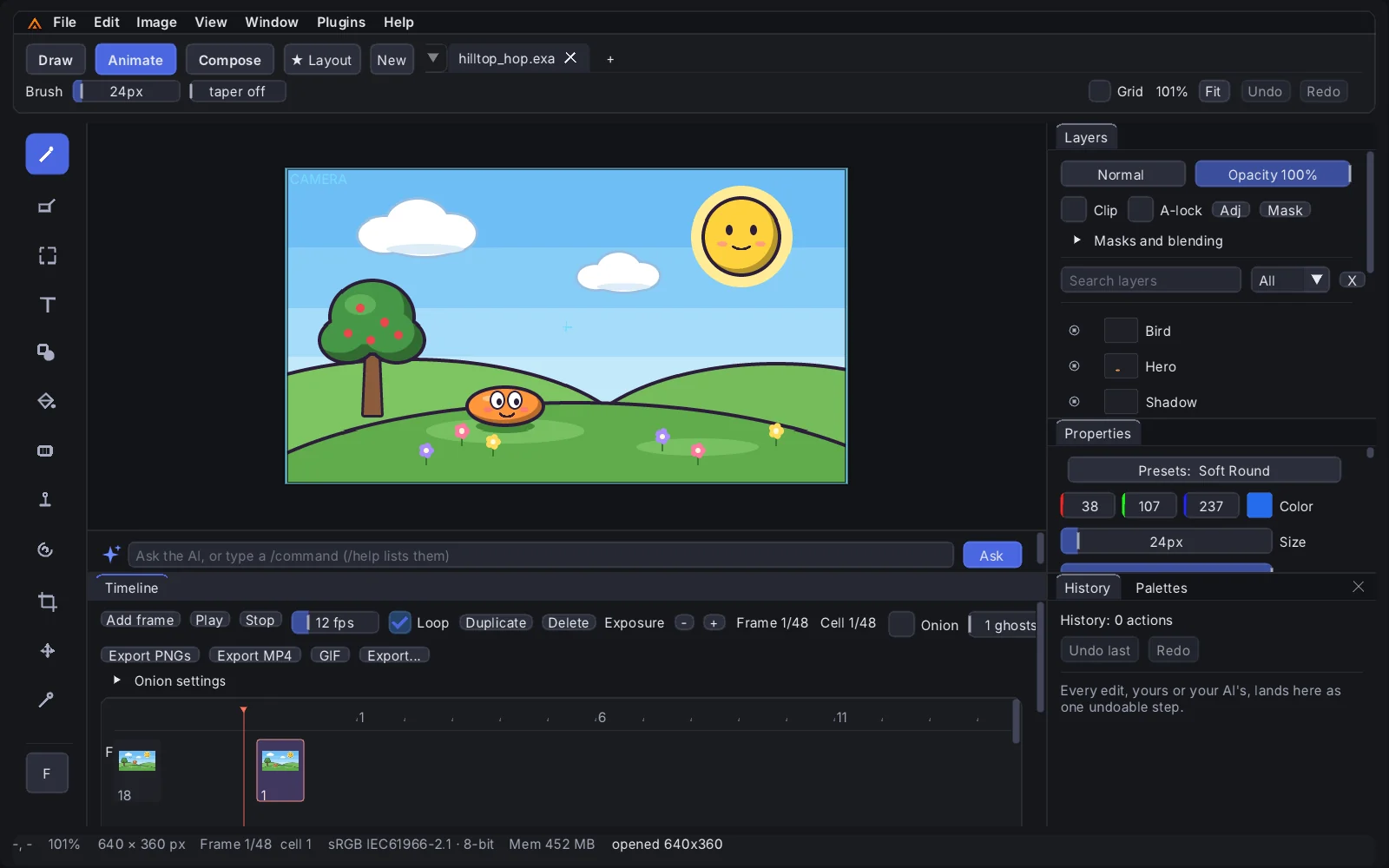
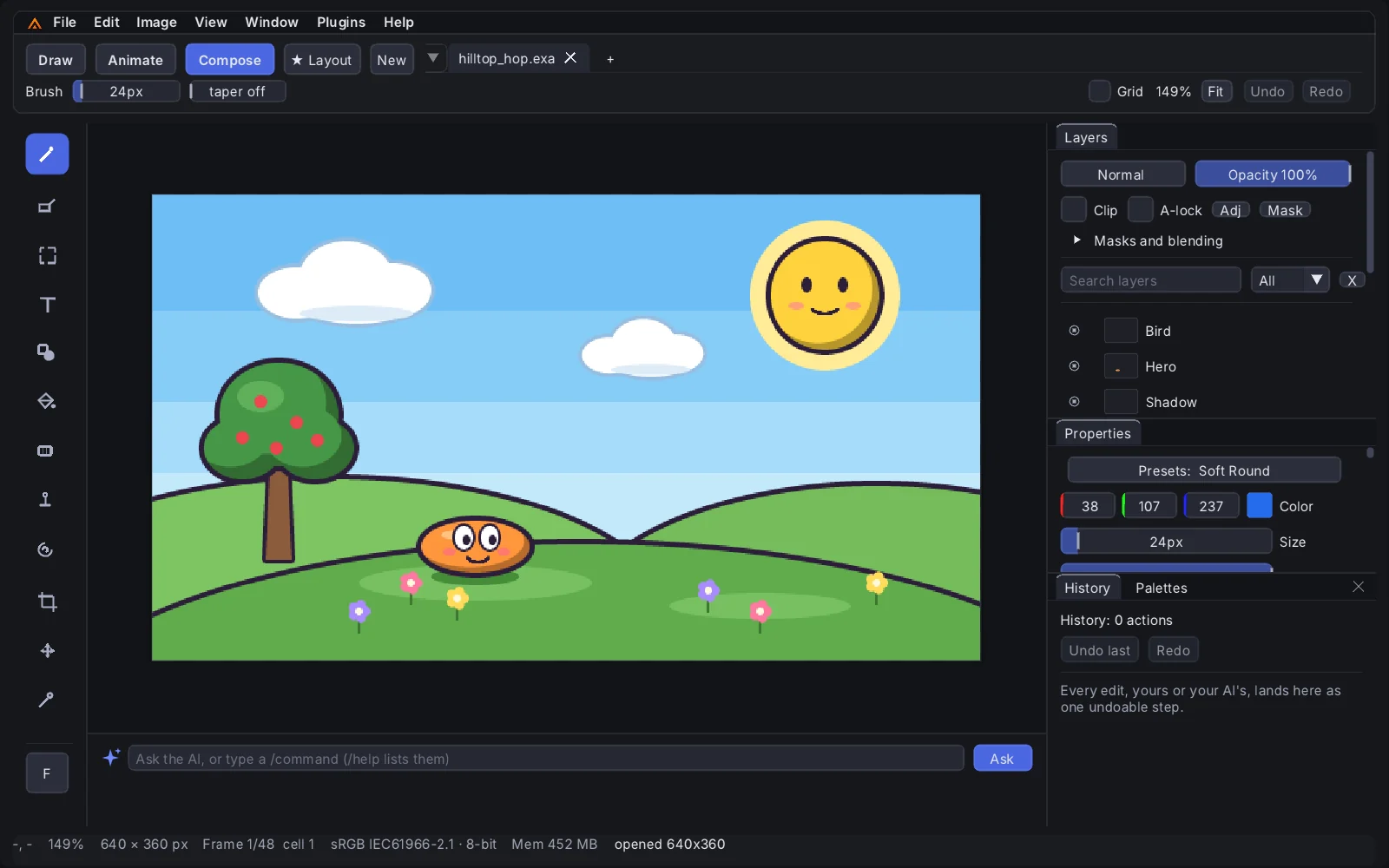
Draw, Animate and Compose open the same document on a different surface, each with its own layout. The canvas stays in the middle with the tool rail beside it, Layers, Properties, History and Palettes on the right, and the AI bar under the canvas. Animate adds the timeline; Compose clears the way for the picture.
- Switch workspace from the top bar without reopening anything
- Dock, tab, float and resize every panel; each workspace keeps its own layout
- Dark, light and high-contrast themes, checked against WCAG contrast targets
- Pen pressure and tilt, with tablet calibration
- Every button and slider runs a command your AI can run too
Hard pixels, exact colours, real palettes.
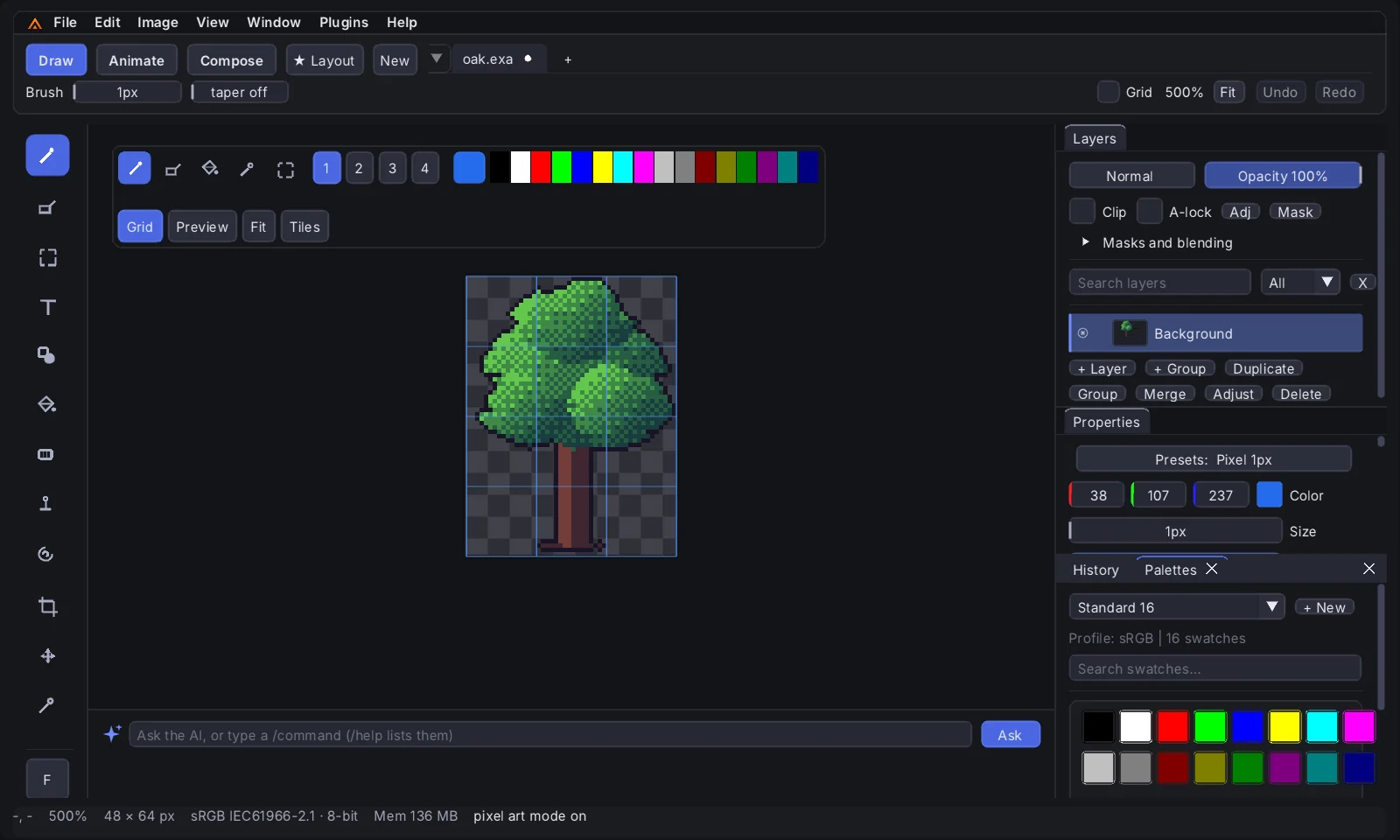
File > New Pixel Art opens a sprite canvas with the pixel pencil, an exact-colour fill and the active palette on a toolbar over the canvas. Zoom lands on whole steps, the pixel grid and a tile grid show where you need them, and a preview window repeats a tile 3 x 3 to check that it is seamless.
- Pixel-perfect lines that skip the corner of every L for clean diagonals
- Built-in palettes: Game Boy, CGA, EGA, C64, DB16, Sweetie 16, Endesga 32, or your own
- Palette snapping with Bayer dithering, outlines, mirroring and speck cleanup
- Pixelize: turn any image into clean pixel art at the size and palette you choose
- Tile maps with auto-tiling terrain and collision, exported as JSON + PNG
Pose characters instead of redrawing them.
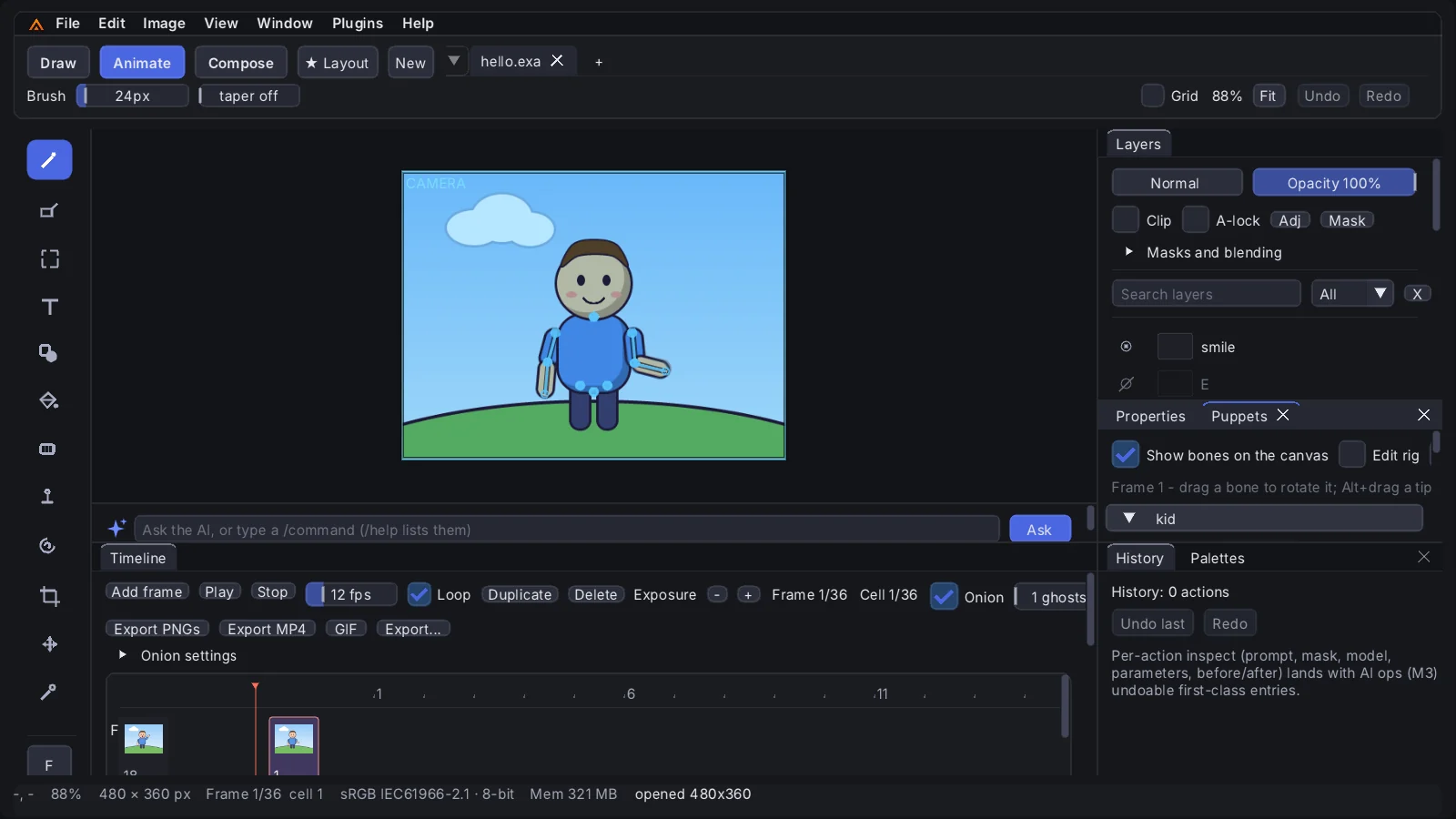
Build a character once from part layers and pose it on every frame. Turn the upper arm and the forearm follows; drag a hand to a point and two-bone IK bends the elbow. Swap sets switch mouths, blinks and hands, and lip-sync keys the mouth to the dialogue.
- Rig with the mouse: click parts to add bones, drag pivots and tips to the joints
- puppet.auto_rig builds a whole rig from the part layers’ names
- Looping walk, run and idle cycles, side-on or facing the camera
- Mesh skins for limbs that bend, with weight painting
- Export as a Spine skeleton (JSON + atlas), a Unity package, a Godot 4 scene, or play it in Unreal through Exaro Unreal
Every tool is a command your AI can call.
The menus, macros, scripts and the MCP server all run the same typed commands. This is the script that made the Star Sweeper title card: pixelize the art to EGA, check it, write the logo in as pixels and export. Run it headless from the command line, or let Claude, Codex or Cursor send the same commands over MCP while you watch the canvas.
{"command": "document.open", "path": "title-art.png"}
{"command": "ai.pixelize", "width": 320, "height": 200, "palette": "ega", "dither": "bayer4", "cleanup": true}
{"command": "pixel.check", "palette": "ega", "expect": {"ok": true}}
{"command": "layer.add", "name": "logo"}
# the logo: a pixel-font grid written straight into the layer (rows shortened here)
{"command": "pixel.write", "palette": "ega", "x": 40, "y": 10, "rows": ["eeee eeeee  ee  eeee", "e      e   e  e e  e"]}
{"command": "pixel.outline", "color": "#000000", "eight": true}
{"command": "document.export", "path": "title.png"}
exarodrawing --script title.jsonl --log title.logEverything in the current release.
All of it is in the app you download today, on every plan.
A full painting app
Pressure-sensitive brushes (round, airbrush, pencil, marker, chalk, watercolour, smudge, clone, blur) with presets, layers with blend modes and masks, selections and transforms, filters, gradients, text and editable vector paths. Deep undo on huge canvases.
Cartoon shapes with real ink
The Shape tool drags out ellipses, boxes, rounded boxes, polygons and stars with a live preview, filled and inked in one step, with thick-thin ink that is heavier on the shadow side, cel shading and tapered strokes for freehand ink.
Sprites, palettes and tiles
A pixel canvas and pencil, exact fills, retro and custom palettes, dithering, Pixelize, a palette linter, and tile maps with auto-tiling terrain and collision export.
Sheets your engine can light
Animation tags and per-frame timing, then a grid sprite sheet with an Aseprite-style JSON sidecar and, if you want it, a matching normal map (Y-down for Unreal) so sprites take scene lighting.
Timeline, puppets and curves
Frames with onion skin, an X-sheet, tweens with a curve editor, cut-out puppets with IK, swaps, mesh skins and walk cycles, a camera with multiplane parallax, particles and motion blur.
From screenplay to MP4
Import a screenplay and its action lines pose the puppets. Dialogue sits on the timeline, lip-sync aligns each line to its recorded audio, and the cutscene exports as MP4 with SRT and WebVTT subtitles and a manifest for the engine.
Spine, Unity, Godot, Unreal
Puppets export as Spine skeletons (JSON, atlas and parts) with each animation tag as an animation, as a Unity package with a C# skeleton player, or as a ready Godot 4 scene. In Unreal, Exaro Unreal plays them natively.
Every format a pipeline asks for
MP4 with stereo audio, GIF and APNG built in; WebM (VP9, VP8 with transparency, AV1) and ProRes 4444 through ffmpeg; EXR sequences at full depth. PSD, OpenRaster, TIFF, WebP, PNG and JPG in and out.
Your AI at the canvas
Claude, Codex, Cursor or any MCP client can drive Exaro Drawing through its local MCP server, after you pair it. The built-in assistant plans, previews and applies changes as one undo step, on your own Anthropic or OpenAI key.
Every tool is a command
Hundreds of typed commands, the same ones the menus use. Run a script headless from the command line, record actions as macros, or let an agent write the scene. Both games and both animations on this page were made that way.