Exaro vs Meshy: generated meshes or built models?
Meshy turns text and images into 3D meshes in about a minute. Exaro Model has your own AI build the model part by part in Blender. An honest comparison of how they work, what they cost and when to use each.
Meshy is one of the best-known AI 3D generators, and for good reason: type a prompt or upload an image and you get a textured mesh in about a minute. Exaro Model solves a related problem in a very different way. This post explains the difference honestly, including where Meshy is the better choice.
Facts about Meshy are from its own website, docs and terms as of October 2026, linked below. Products change; check their pages for the latest.
Two different approaches
Meshy generates. A machine-learning model predicts a 3D mesh from your text or image, then textures it. Its current flagship is Meshy 7.1 (Meshy). It also offers retexturing, remeshing, humanoid auto-rigging and an animation library.
Exaro Model builds. It connects the AI you already use (Claude, Codex, Cursor or a local model) to Blender 5.2 over MCP. Your AI builds the object part by part, the way a modeler would, while Exaro runs live model checks and fixes common faults. Parts that have to fit, join or move come from construction kits, with their animation clips.
At a glance
| Meshy | Exaro Model | |
|---|---|---|
| How a model is made | Predicted from text or image | Built in Blender by your AI, part by part |
| Speed | About a minute per generation | Longer: a real build, checked as it goes |
| Separate moving parts | Generally one fused mesh | Each part its own object, with pivots |
| Rigging | Auto-rig for standard humanoids (docs) | Humanoid rigging, plus construction kits for mechanical parts |
| AI you use | Meshy's models | Your own: Claude, Codex, Cursor or local |
| Output ownership | Paid: yours. Free: Meshy owns it and licenses it to you under CC BY 4.0 (terms) | Commercial use of everything you make, on every plan |
| Export | GLB, FBX, OBJ, USDZ, STL, 3MF (docs) | GLB and FBX for Unreal, Unity and Godot |
| Price | Free tier; Pro $20/month, Premium $40, Ultra $100, credit-based (pricing) | $29/month or $249/year; Studio $999/year for 5 seats (pricing) |
Where Meshy shines
Meshy is fast and broad. For concept models, background props, stylized assets, blockouts and 3D printing simple objects, a one-minute generation is hard to beat. It has plugins for Unreal, Unity, Blender, Godot and more, and a single pipeline for a humanoid character from prompt to rig to animation. If you need a lot of decent-looking shapes quickly, it's a strong tool.
Where generated meshes fall short in a game
Reviewers consistently describe Meshy's output as a starting point rather than a final asset: dense, uneven topology that needs retopology, wavy edges on hard-surface details, and objects that come out as many fused or disconnected bodies (FrameSixty, 3Dnatives). That's the nature of predicting a surface: there's no door, hinge or wheel in the result, only the shape of one.
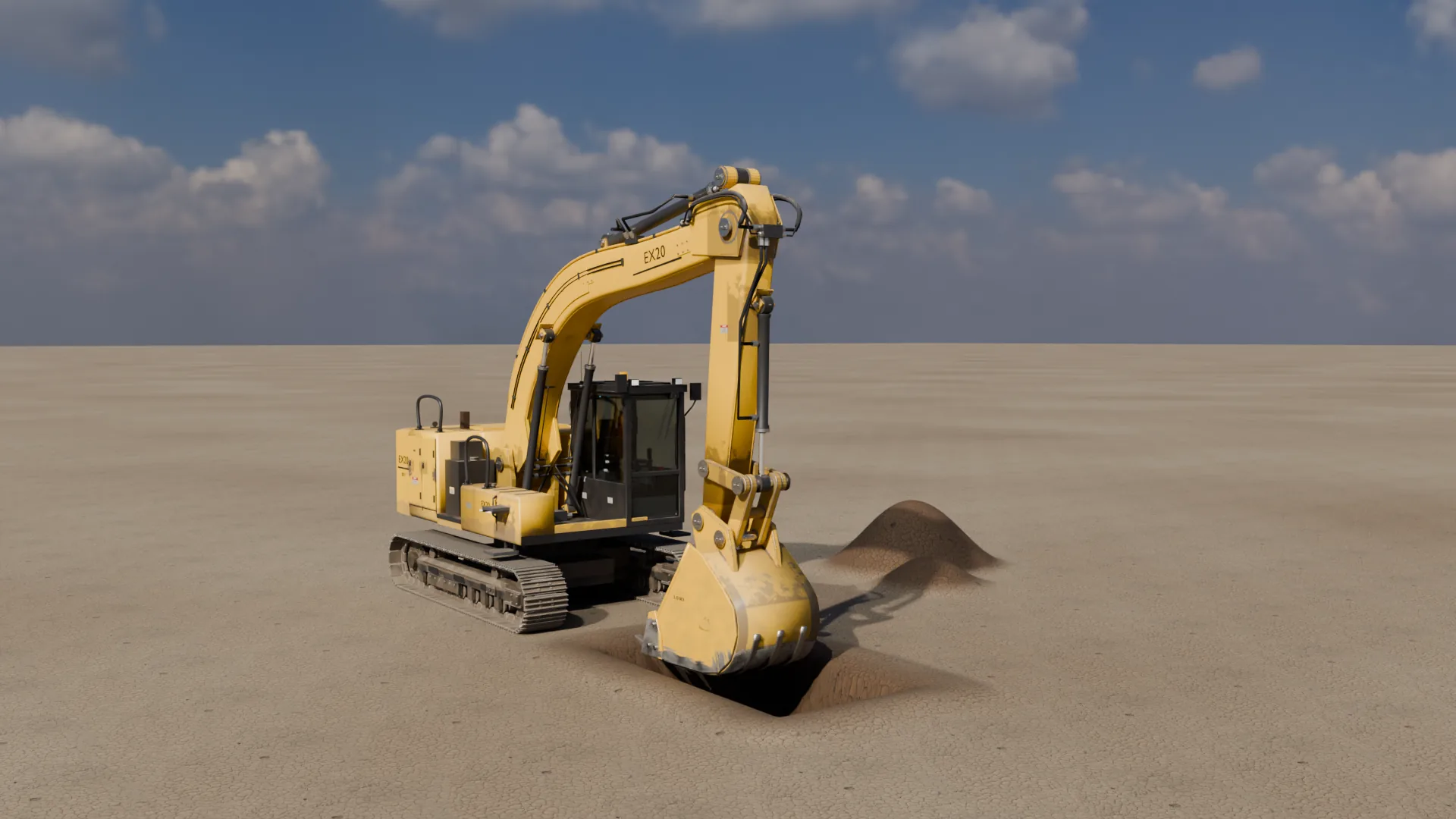
For a game, that matters. A fridge needs a door that swings on its hinge. An excavator needs cylinders that stay pinned to their mounts. A drawer has to slide. Exaro Model builds those as real parts, so your AI can rig them, check them and fix them.
What "built" looks like
Our studio builds with the tools behind Exaro Model. The 20-tonne Crawler Excavator has hydraulic cylinders that stay pinned through the whole stroke and a bucket linkage solved every frame. The Flyable Narrow-Body Airliner has working gear, flaps, slats, spoilers and doors, and 150 seats inside. (These capabilities reach Exaro Model as they pass our quality gates; the Exaro Model page lists what's in the product today.)
Using both
They aren't mutually exclusive. Plenty of teams will generate quick background props with a tool like Meshy and build hero assets (anything the player touches, opens, drives or looks at closely) with Exaro Model. And whichever you use, Exaro Unreal lets your AI place, wire up and test the result inside Unreal Engine.
The bottom line
- Choose Meshy if you want speed and volume, mostly static or stylized assets, or 3D printing.
- Choose Exaro Model if you want models made of real parts that move, rig and export cleanly to a game engine, driven by the AI you already pay for.